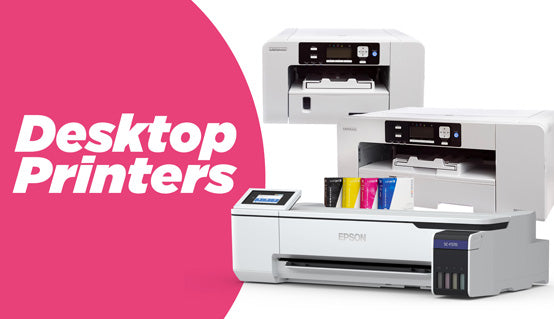
The Epson SureColor F1070 is the most versatile entry point for small business owners who need both DTF and DTG printing without buying two separate machines. It handles direct-to-film transfers for any garment and direct-to-garment printing on cotton, in a single compact footprint that fits a real small business workspace.

DTG and DTF in one compact machine. Print on cotton directly, or produce transfers for any fabric type.
Quick Specs: Epson F1070 for Small Business
| Spec | Detail |
|---|---|
| Print technology | Hybrid DTG + DTF (dual mode) |
| Max print width | 16" (A2) |
| Ink system | Epson UltraChrome DG2 (CMYKWW) |
| DTF substrate compatibility | Cotton, polyester, blends, nylon, leather |
| DTG substrate compatibility | 100% cotton and cotton-rich garments |
| Connectivity | USB, Ethernet, Wi-Fi |
| Footprint | Compact, fits standard work table |
Why Is the Epson F1070 a Good DTF Printer for Small Business?
Most small businesses starting in garment decoration face the same problem: DTG gives you the best print quality on cotton, but you lose every polyester, nylon, and performance fabric order. DTF gives you substrate flexibility, but traditionally requires a separate dedicated printer. The F1070 solves this by running both modes from one machine, which means one capital investment and one ink system to manage.
One machine covers two revenue streams
With the F1070, you can print DTG directly onto a cotton hoodie in the morning and switch to DTF mode to produce gang-sheet transfers for a polyester jersey order in the afternoon. You are not splitting production across two printers or two ink systems. For a small business managing cash flow, eliminating a second machine purchase is a meaningful operational advantage.
The ink system is designed for low-volume sustainability
Small businesses rarely run at full industrial capacity every day. The Epson DG2 ink system is engineered with this in mind. It uses a circulation system that keeps white ink from settling and clogging, which is the primary maintenance headache for low-volume DTG operators. This reduces the daily maintenance burden and the risk of costly head clogs during slower production periods.
16-inch print width handles real garment sizes
A 16-inch print width covers adult XL and XXL chest prints without tiling. For small business garment decorators, this means you can quote standard adult apparel orders without worrying about print size limitations. In DTF mode, the same 16-inch width lets you produce gang sheets with multiple transfer designs in a single pass, which keeps your cost per transfer competitive.
How the Epson F1070 Works for Small Business DTF Production
Understanding the production workflow helps you plan your workspace and time before you invest. Here is how a typical DTF job runs on the F1070:
Step 1: Design preparation. Prepare your artwork in your RIP software (Epson recommends Epson Edge Print). Mirror the design for DTF output. Set white ink coverage based on the substrate color.
Step 2: Film loading. Load your DTF film into the F1070 feed tray. The printer handles standard A3 and letter-size DTF film sheets as well as compatible rolls.
Step 3: Print and powder. The F1070 prints CMYK and white ink onto the film in a single pass. While the print is still warm, apply hot melt DTF powder evenly across the printed surface. Shake off the excess.
Step 4: Cure. Run the powdered film through a curing oven or conveyor dryer to melt the powder into the ink. This creates the adhesive layer that bonds the transfer to the garment.
Step 5: Press. Apply the cured transfer to the garment using a heat press at approximately 320-330°F for 10-15 seconds. Peel the film per the manufacturer specification (hot peel or cold peel).
The full workflow from file to finished garment takes under 15 minutes per design on a small run, which is manageable for a one- or two-person operation.
What You Need to Start DTF Printing with the Epson F1070
The F1070 is the core of your setup. A complete small business DTF operation requires four additional components:

Compatible DTF film for the F1070. Film quality directly affects transfer adhesion and wash durability across every substrate.

The adhesive layer for your transfers. Applied while the ink is still wet for consistent bonding across every press.

Genuine Epson maintenance kits that keep the F1070 running clean. Staying ahead of maintenance prevents costly head failures.
Epson F1070 vs. Epson F2270: Which Hybrid Printer Is Right for Your Small Business?
Joto carries two hybrid DTG/DTF printers. Here is how they compare for a small business buyer:
| Feature | Epson F1070 | Epson F2270 |
|---|---|---|
| Max print width | 16" (A2) | 16" (A2) |
| Print speed (DTG) | Standard | Faster, dual print head |
| Ink channels | CMYKWW | CMYKWW (higher capacity) |
| Best for volume | Low to medium (1-50 garments/day) | Medium to high (50-200+ garments/day) |
| Footprint | Smaller | Larger |
| Investment level | Lower | Higher |
| Where to buy | Shop F1070 | Shop F2270 |
Which should you choose? If you are starting a small business or growing from zero to a consistent order volume under 50 garments per day, the F1070 is the right starting point. Its lower investment and smaller footprint match where most small operations actually are. Choose the F2270 when your order volume justifies faster throughput and you have the space and budget for the step up.
Frequently Asked Questions: Epson F1070 for Small Business
Can the Epson F1070 print DTF transfers on polyester garments?
Yes. When running in DTF mode, the F1070 prints onto film rather than directly onto the garment. The cured transfer is then heat-pressed onto the polyester garment. This means the F1070 handles polyester, nylon, cotton blends, and most fabric types through the DTF workflow, even though its DTG mode is limited to cotton.
How many garments per day can a small business produce with the F1070?
In DTF mode, a small business operation typically produces 20 to 50 transfers per day on the F1070, depending on design size and complexity. In DTG mode, throughput is closer to 10 to 30 full-chest prints per day for a one-person operation. These numbers reflect realistic small business production, not theoretical maximums.
Does the Epson F1070 require pretreatment for DTF printing?
No. DTF printing does not require garment pretreatment. Pretreatment is a DTG-specific step needed to help white ink bond to cotton fibers. In DTF mode, the transfer film handles adhesion. The garment goes straight to the heat press after the transfer is cured, which makes DTF operationally simpler for small businesses starting out.
What maintenance does the Epson F1070 need for a small business workload?
Daily use requires running a head cleaning cycle at the start and end of each production session, especially if the machine sits idle overnight. The circulation system reduces white ink settling, but consistent daily use is healthier for the printer than sporadic weekend-only production. Keep genuine Epson maintenance supplies on hand, including cleaning cartridges and the print head maintenance kit, to address clogs before they become permanent.
Is the Epson F1070 a good first DTF printer for a small business?
The F1070 is a strong first machine for a small business that expects to grow into both DTG and DTF production. If you plan to print exclusively DTF with no DTG work, a dedicated DTF-only printer may offer better cost efficiency. But for a small business that wants both capabilities under one roof from day one, the F1070 is the most practical entry point available at this scale.
Ready to Start Your DTF and DTG Operation?
The Epson F1070 is in stock at Joto. Free shipping to the contiguous US. Our team knows this machine and can help you confirm it fits your setup before you order.
Shop the Epson F1070 →Questions about setup, film compatibility, or production workflow? Call us at 1-800-565-5686 or contact our team. We do not ghost. We ship.
Related Posts

Sustainable Merchandise: What Your Clients Actually Want to See
Sustainable merchandise isn't a material, a certification, or a marketing label. It's a product that keeps getting used. If an...
Read More
California's New Textile Rule Is Already in Effect: What Apparel Decorators Should Know
New labeling regulations apparel in California California's Responsible Textile Recovery Act, known as SB 707, took effect on July 1,...
Read More
CL Dark vs CL Dark Premium vs CL TrimFree Dark: Which Color Laser Transfer Paper Fits Your Shop
The right color laser transfer paper for dark garments comes down to one trade-off: how much heat you're willing to...
Read More