















































































































































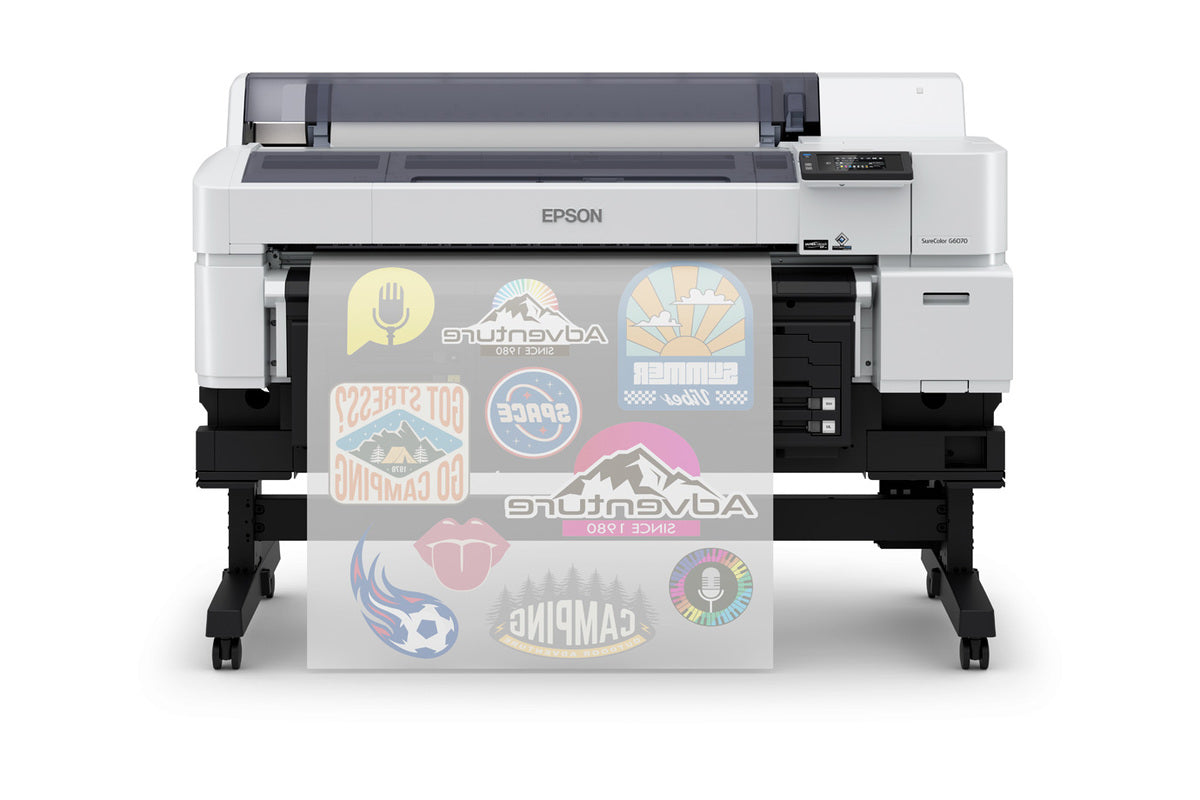

xTool Apparel Printer
xTool Apparel Printer: Professional, One-Click DTF Printing Made Simple
The xTool Apparel Printer is a professional Direct-to-Film (DTF) printing solution designed for custom apparel businesses, print shops, creators, and entrepreneurs who want to produce vibrant, full-color transfers on a wide range of fabrics.
Powered by dual Epson I1600 printheads and intelligent automation, the xTool Apparel Printer simplifies production while delivering commercial-grade print quality. Create custom t-shirts, hoodies, uniforms, tote bags, promotional products, team apparel, and more with speed, consistency, and reliability.
Quick Specs
| Print Technology | Direct-to-Film (DTF) |
| Printheads | Dual Epson I1600 |
| Print Width | 14" (356 mm) |
| Maximum Print Area | 14" × 18" (356 mm × 460 mm) |
| Resolution | Up to 720 × 1800 DPI |
| Printing Speed | Up to 50 sq ft/hr |
| Ink Configuration | CMYK + White |
| Compatible Fabrics | Cotton, Polyester, Canvas, Denim, Nylon, Spandex, Blends & More |
| Software | xTool Studio |
| Compatibility | Mac & Windows |
Choose Your Package
All three packages include the same xTool Apparel Printer. The difference is how much of the DTF workflow comes ready out of the box. Powdering, curing, and ventilation are essential steps in DTF production, so the right package depends on the equipment you already own.
| What You Get | Standalone | Versatile Bundle | All-in-1 Bundle |
|---|---|---|---|
| xTool Apparel Printer | ✔ | ✔ | ✔ |
| OS1 Automatic Shaker Oven (powdering + curing) | — | ✔ | ✔ |
| SafetyPro™ AP2 Air Purifier (fume extraction) | — | — | ✔ |
| Starter consumables (CMYK+W ink set, film roll, pre-treatment solution, adhesive powder) | — | ✔ | ✔ |
| You still need | Your own shaker oven and ventilation | Your own ventilation solution | Nothing — complete turnkey setup |
| Best for | Shops with existing DTF curing equipment | Growing businesses automating powdering and curing | New and high-volume operations that want a complete, safe workflow |
Which Package Is Right for You?
- Choose Standalone if you already run a DTF line with a shaker oven and ventilation in place — you only need the printer.
- Choose the Versatile Bundle if you are starting or scaling and want automated powdering and curing with the OS1 Oven, plus a starter set of inks, film, and powder to begin producing right away.
- Choose the All-in-1 Bundle if you want a turnkey production setup: printer, OS1 Oven, and SafetyPro™ AP2 Air Purifier for a clean, safe workspace from day one.
Why Choose the xTool Apparel Printer?
Print on Virtually Any Fabric
Create vibrant, durable transfers on cotton, polyester, canvas, denim, nylon, spandex, performance fabrics, and blended materials. Unlike sublimation, DTF printing works on both light and dark garments, giving your business more flexibility.
Commercial-Grade Print Quality
Featuring dual Epson I1600 printheads, the xTool Apparel Printer delivers sharp details, smooth gradients, vibrant colors, and professional-quality results suitable for production environments.
- Up to 720 × 1800 DPI resolution
- 3.8 pL minimum ink drop size
- Accurate color reproduction
- Excellent detail and image clarity
- Consistent output across production runs
Built for Productivity
Produce more transfers in less time with print speeds up to 50 square feet per hour and a maximum print area of 14" × 18". Perfect for handling rush orders, event merchandise, team apparel, and growing production demands.
Reduce Maintenance and Downtime
White ink management is one of the biggest challenges in DTF printing. The xTool Apparel Printer helps simplify maintenance through automated systems designed to keep production running smoothly.
- Automatic printhead cleaning
- White Ink Management System (WIMS)
- Automatic ink circulation
- Automatic ink stirring
- Printhead moisturizing system
- Remote monitoring capabilities
Smart Software Included
xTool Studio combines design tools, RIP software, layout management, machine control, auto nesting, and AI-powered features into one easy-to-use platform.
- AI-assisted design tools
- Built-in RIP software
- Auto nesting functionality
- Print layout management
- Machine monitoring and control
- Mac and Windows compatibility
Ideal Applications
- Custom T-Shirts
- Hoodies & Sweatshirts
- Corporate Apparel
- Team Uniforms
- Sportswear
- Promotional Products
- Tote Bags
- School Apparel
- Event Merchandise
- Print-On-Demand Businesses
- Custom Brand Merchandise
Durable, Wash-Resistant Transfers
When paired with approved xTool consumables, the Apparel Printer produces vibrant, flexible transfers that maintain their appearance through repeated washing and regular wear.
- Soft hand feel
- Excellent flexibility
- Strong adhesion
- Vibrant color retention
- Crack-resistant performance
- Suitable for commercial apparel production
Technical Specifications
| Print Width | 14" (356 mm) |
| Maximum Print Area | 14" × 18" (356 mm × 460 mm) |
| Printheads | Dual Epson I1600 |
| Resolution | Up to 720 × 1800 DPI |
| Minimum Ink Drop Size | 3.8 pL |
| Printing Speed | Up to 50 sq ft/hr |
| Ink Configuration | CMYK + WWWW |
| Software | xTool Studio |
| Operating Systems | Mac & Windows |
| Calibration | AI 16MP Camera Auto Calibration |
| Power Input | AC 100–240 V, 50/60 Hz |
| Operating Temperature | 59–89 °F (15–30 °C) |
| Dimensions | 35.63" × 14.37" × 14.03" |
| Weight | 61.73 lbs |
Materials & Consumables
The xTool Apparel Printer is designed to work with xTool DTF consumables, including film, white ink, CMYK inks, TPU powder, moisturizing liquid, and cleaning fluid.
Using approved materials helps maximize print quality, reliability, color consistency, and long-term printer performance.
Important Note
The OS1 shaker oven's default temperature settings assume the AP2 exhaust purifier is connected. Operating the oven without the AP2 may affect curing performance and increase exposure to TVOCs. Always follow xTool's official ventilation and safety recommendations.
Frequently Asked Questions
What is the difference between the Standalone, Versatile Bundle, and All-in-1 Bundle?
All three include the same xTool Apparel Printer. The Versatile Bundle adds the OS1 Automatic Shaker Oven and starter consumables for automated powdering and curing. The All-in-1 Bundle adds the OS1 Oven plus the SafetyPro™ AP2 Air Purifier for a complete, ventilated turnkey workflow.
Do I need a shaker oven to use the xTool Apparel Printer?
Yes. DTF transfers must be powdered and cured before pressing. If you already own curing equipment, the Standalone package is enough; otherwise, choose a bundle that includes the OS1 Automatic Shaker Oven.
Can the xTool Apparel Printer print on dark garments?
Yes. Its CMYK + White ink configuration produces vibrant, opaque transfers on both light and dark fabrics, including cotton, polyester, denim, canvas, nylon, spandex, and blends.
What software does the xTool Apparel Printer use?
It runs on xTool Studio, which combines design tools, built-in RIP software, auto nesting, and machine control in one platform, compatible with Mac and Windows.
Warranty & Support
- 12-Month Manufacturer Warranty
- U.S.-Based Support & Warehouses
- Product Guidance & Training
- Financing Available for Qualifying Business Customers
Bring DTF Production In-House
The xTool Apparel Printer gives apparel decorators, print shops, and growing businesses a powerful way to produce professional-quality DTF transfers on demand. Choose the package that fits your workflow and start creating vibrant, durable apparel with greater control, faster turnaround times, and improved profit potential.
| Peel | |
|---|---|
| Equipment | |
| Image | |
| Pressure | |
| Application Temperature | |
| Time |